
Who’s working on what next week?
Caply knows. Who’s busy, who’s free, and which project is about to go over budget.
Rather see it live first? Book a demo →Why Caply
Team time, budgets and load in one place.
-
One source of truth
Week Plan, Month Plan and budgets run on the same data. The numbers always agree. No more reconciling three spreadsheets.
-
Budgets under control
A budget overrun shows up while you plan, not after the month closes. Booked hours and forecast sit on one bar.
-
PMs in control
Project managers see how time is split across their projects and who’s under- or overbooked in the upcoming weeks, and fix it before it hurts.
-
Less admin
Holidays, sick leave and public holidays flow in from your HR tools. Sign in with Microsoft. Zero manual syncing.
Who it’s for
For those who plan and those who deliver.
-
Project managers
Control how time is allocated on every project. See at a glance who’s under- or overbooked, and keep each budget on track.
-
Team leads & heads
Plan the team’s hours properly: this week in detail, the upcoming weeks at a glance. Spot free capacity before you say yes to new work.
-
Developers & teams
Know what to work on and when. Tasks on a Kanban board, hours in the plan. No guessing what next week looks like.
Features
What Caply does
-
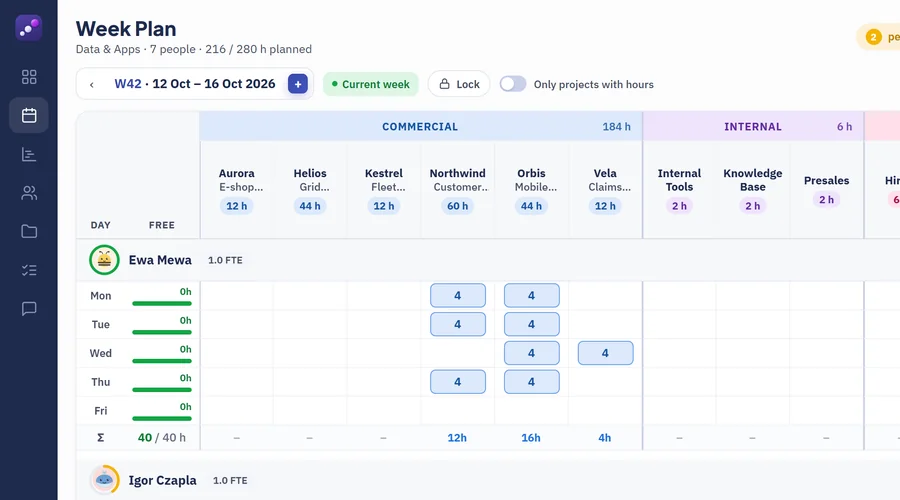
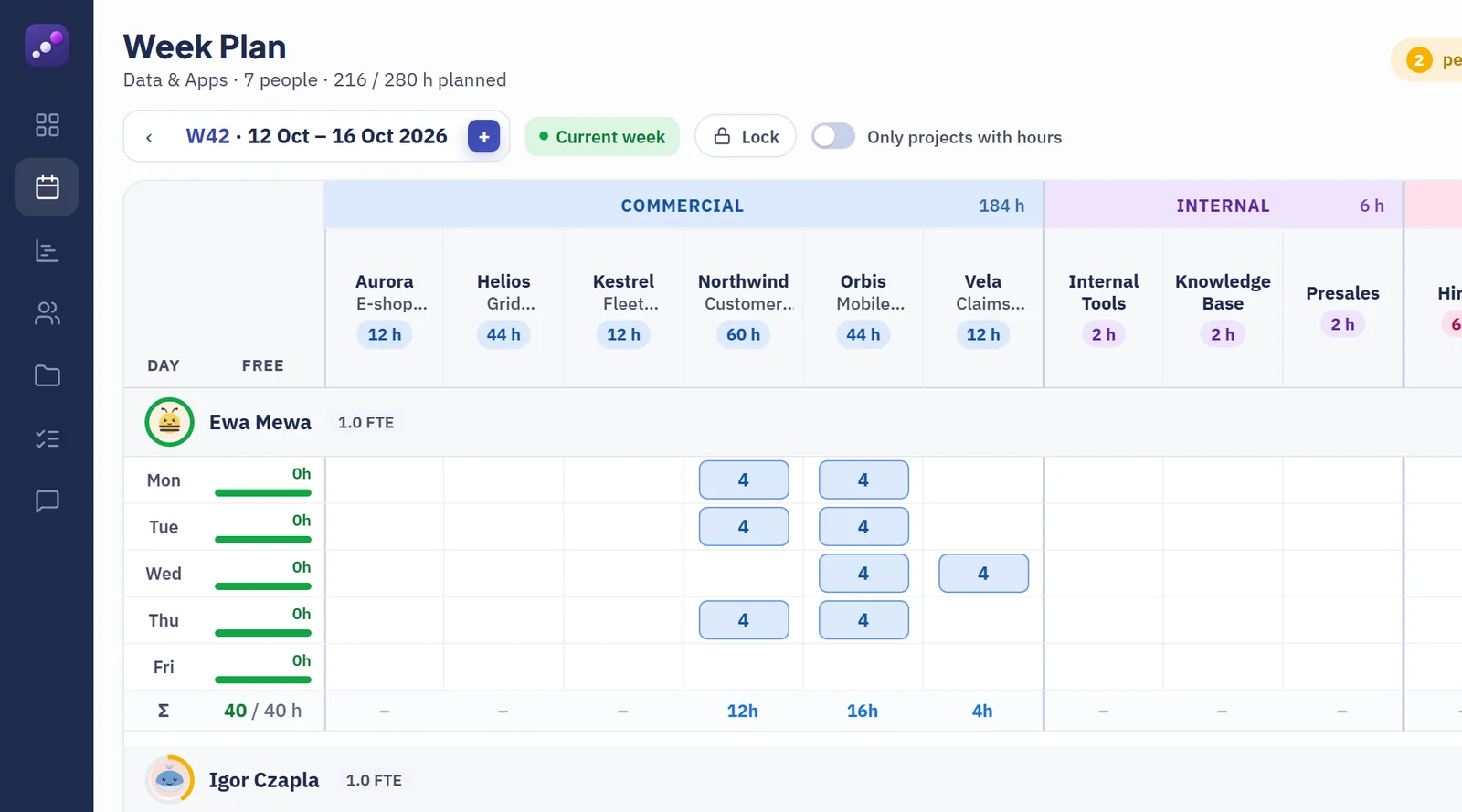
01 · Week Plan
Drag. Type. Week planned.
Hours for the whole team in one grid, saved as you type. Absences from your HR tools are already in, and a finished week can be locked.
-
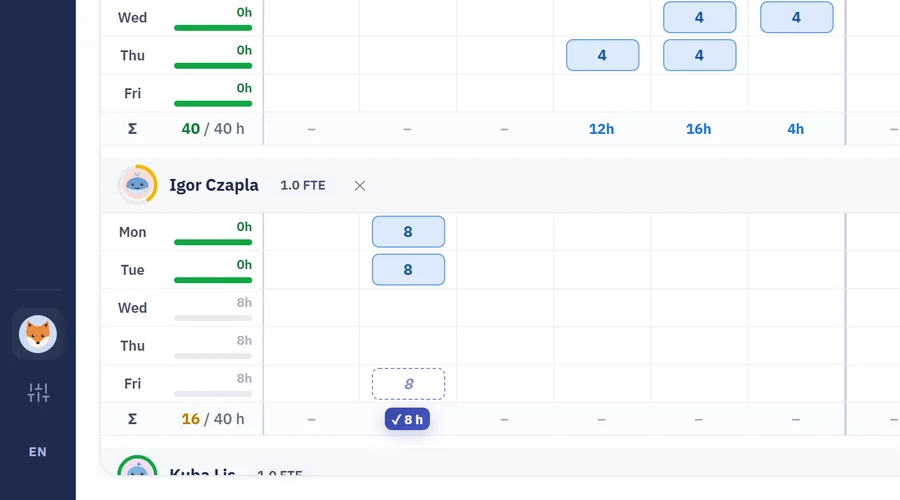
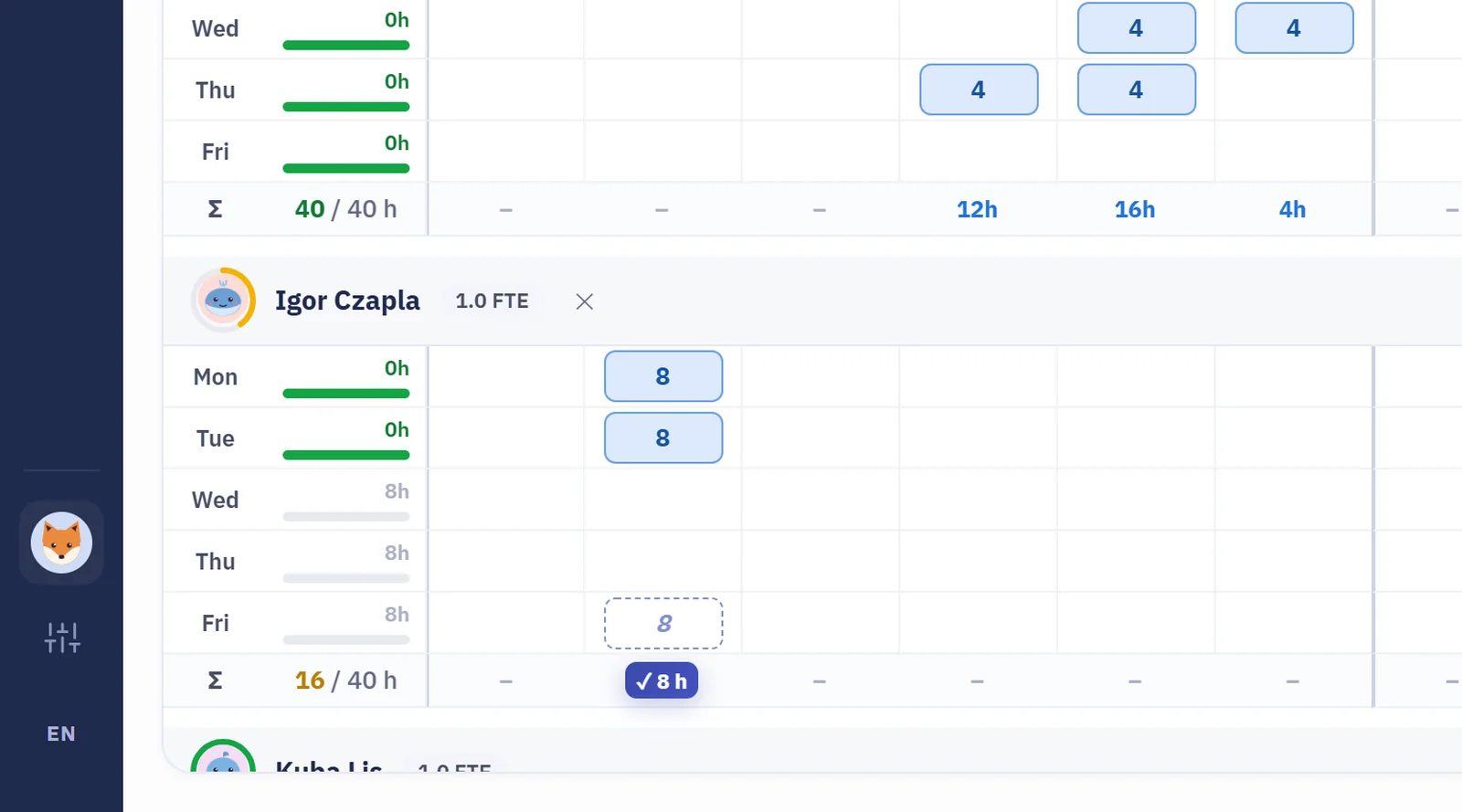
02 · Suggest from tasks
Caply suggests when. One click plans it.
Suggested hours land in each person’s free slots, sized from their open tasks. Apply one person, or everything at once.
-
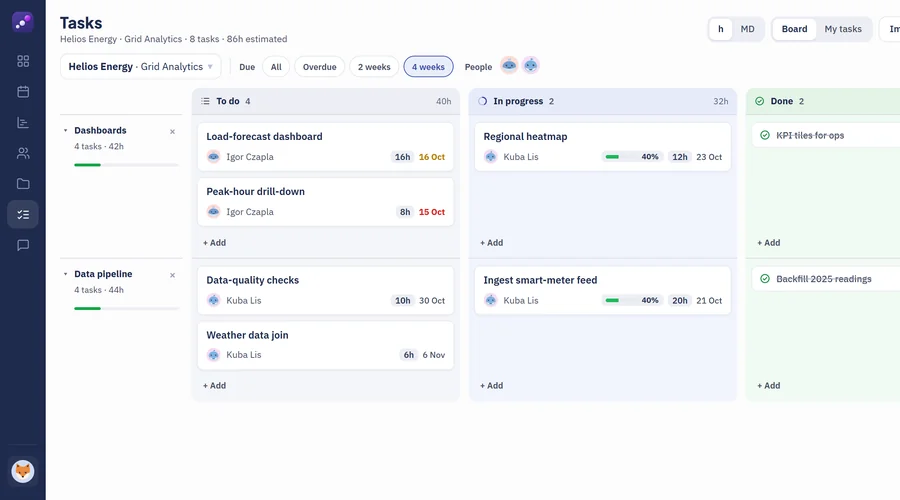
03 · Tasks
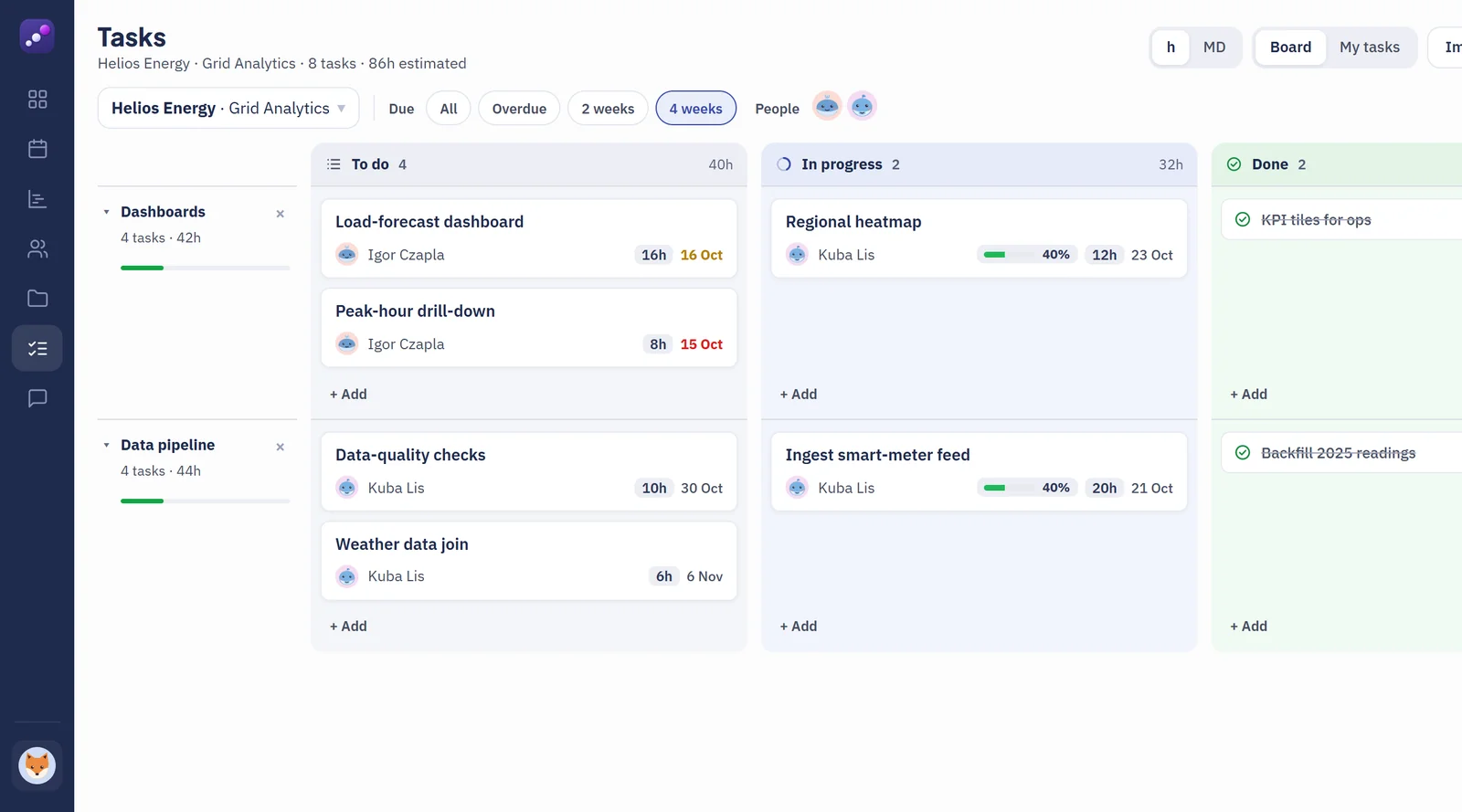
Plan the work on a Kanban board.
Each project gets its own board (to do, in progress, done) with estimates, owners and due dates, grouped by category.
-
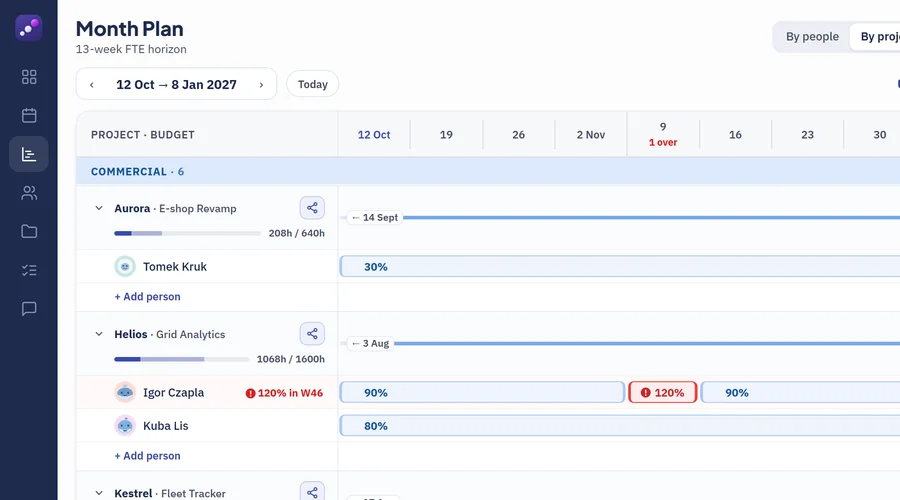
04 · Month Plan
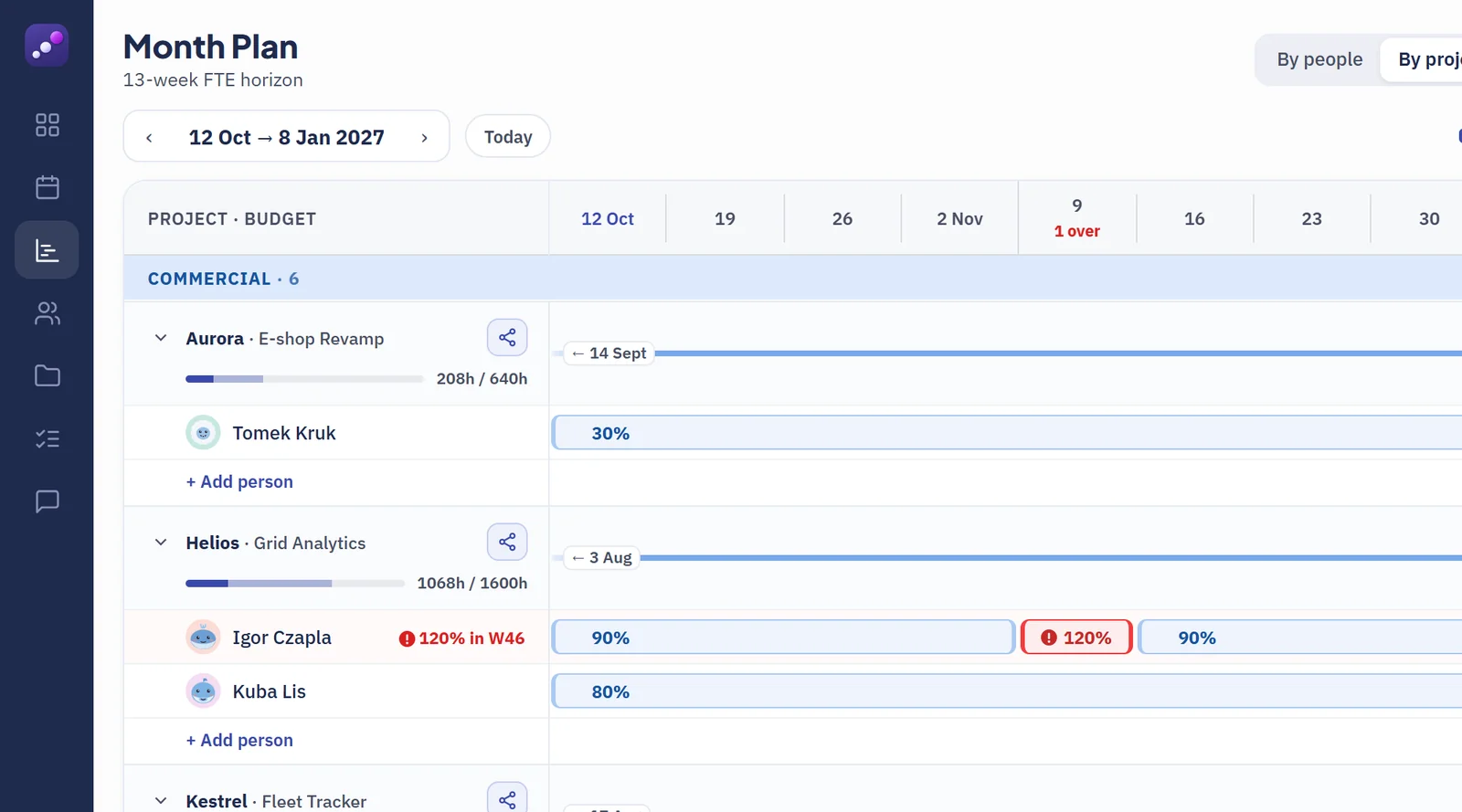
The upcoming weeks in %, h or MD.
Spread a project’s budget week by week in one click, with load checked as you go. Overload shows red right away, and Plan vs actual compares the forecast with real hours.
-
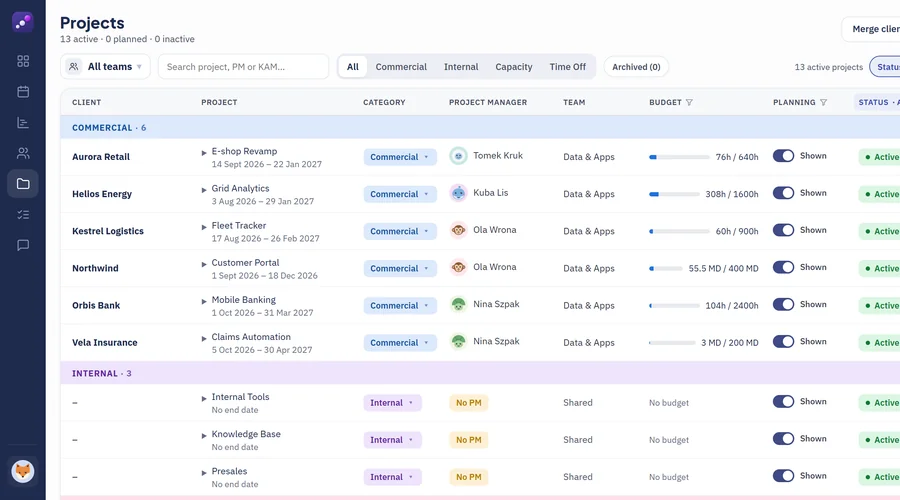
05 · Projects & budgets
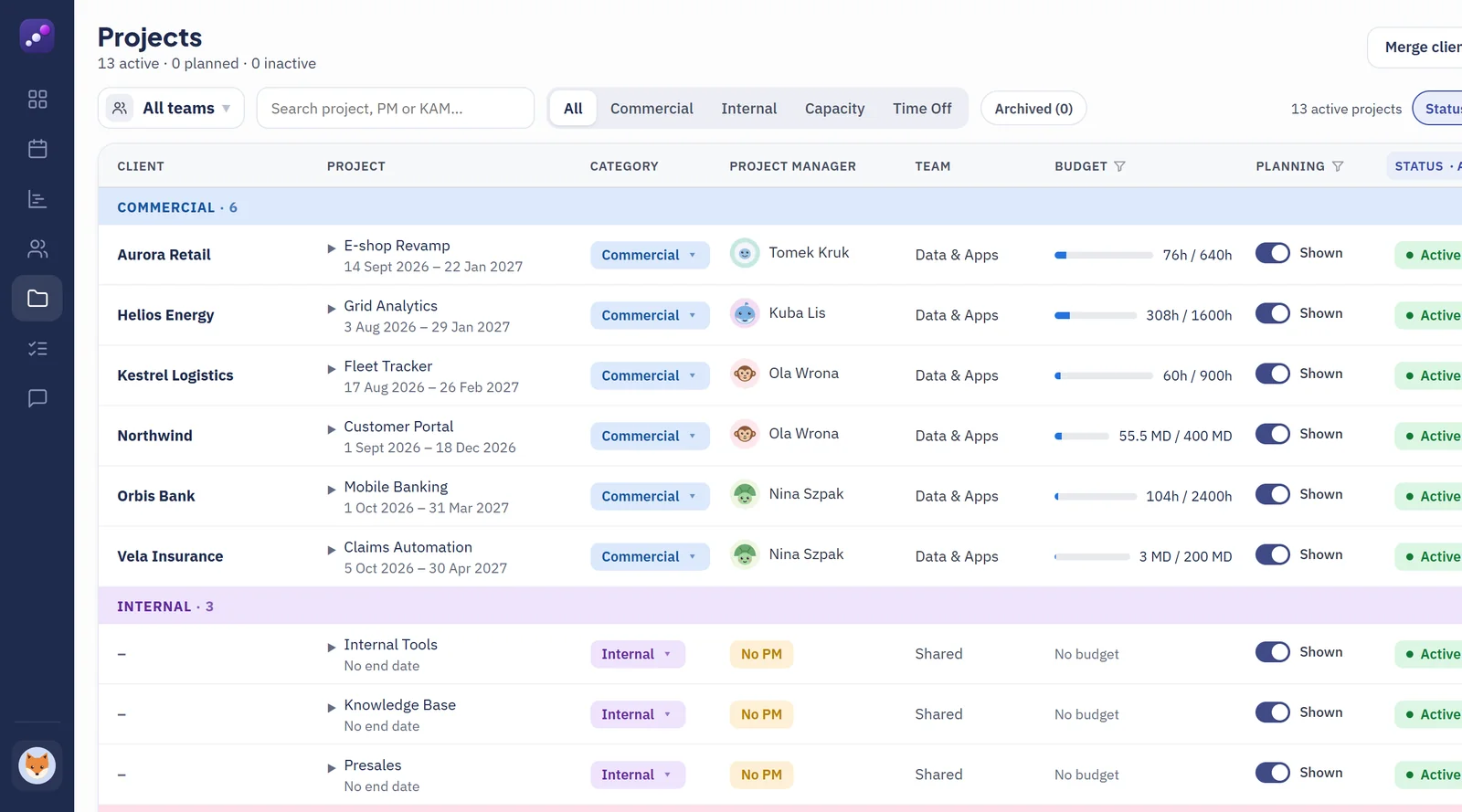
Every budget, burning in real time.
Budgets in hours or man-days, per seniority or for the whole project. Clients with their KAM, and project status worked out for you.
-
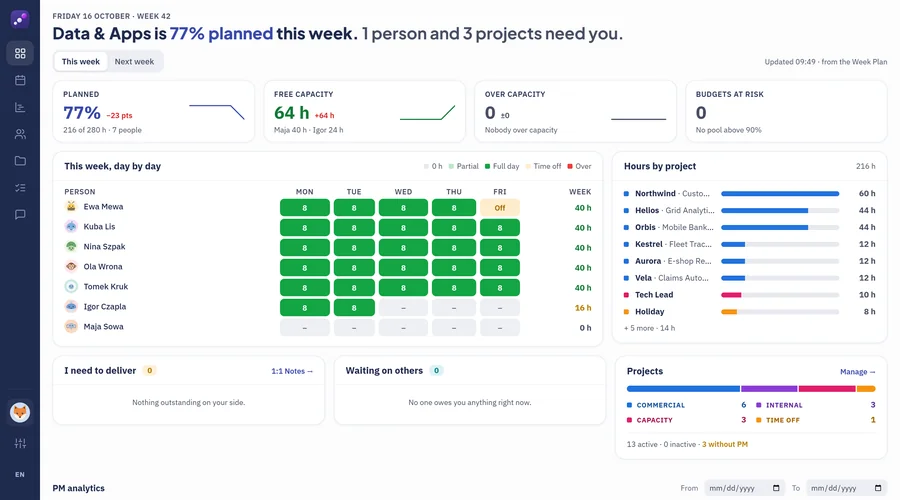
06 · Overview
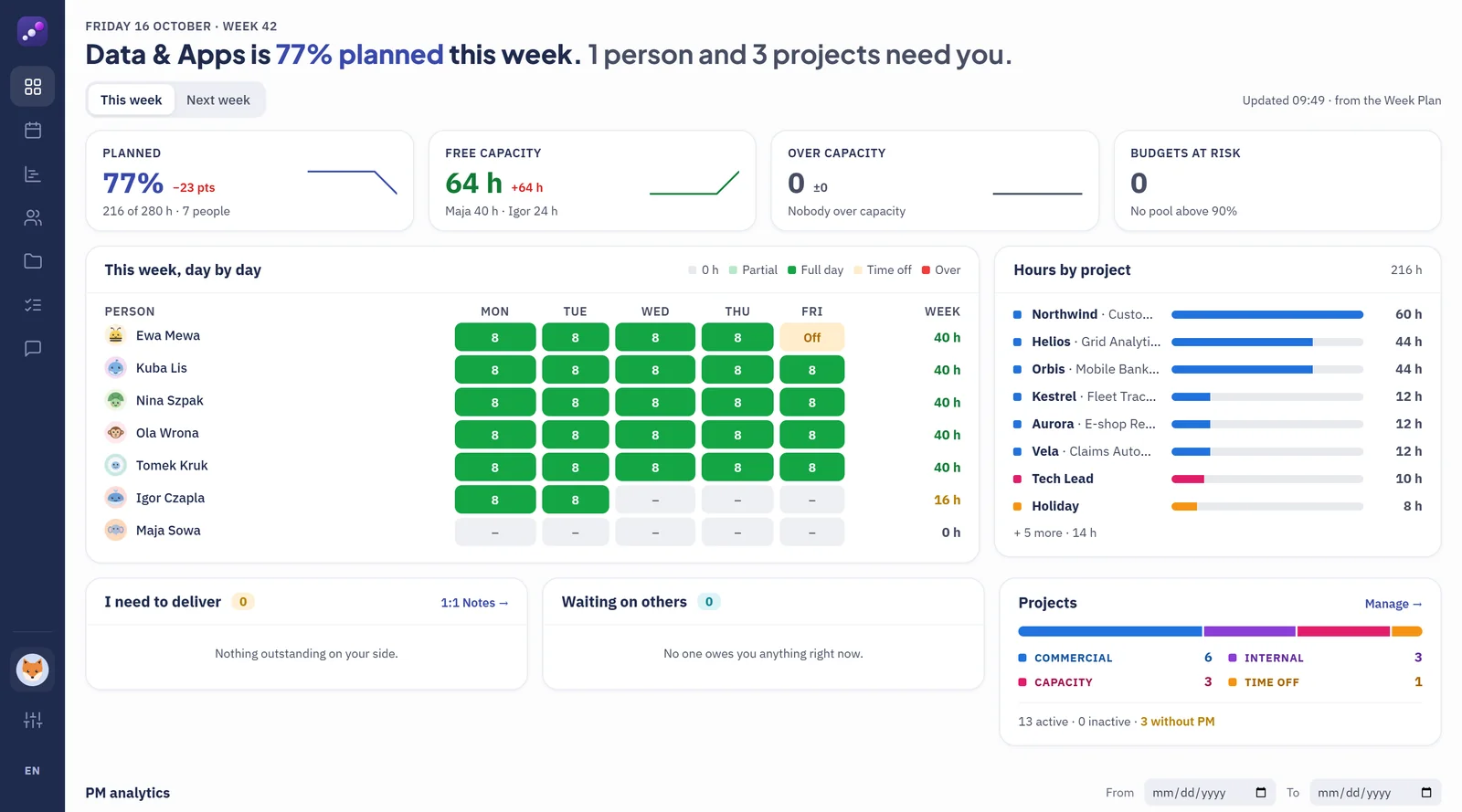
Your week in one sentence.
“Data & Apps is 77% planned this week. 1 person and 3 projects need you.” Then the detail: planned and free hours, who is over capacity, budgets at risk and every person’s week, day by day.
-
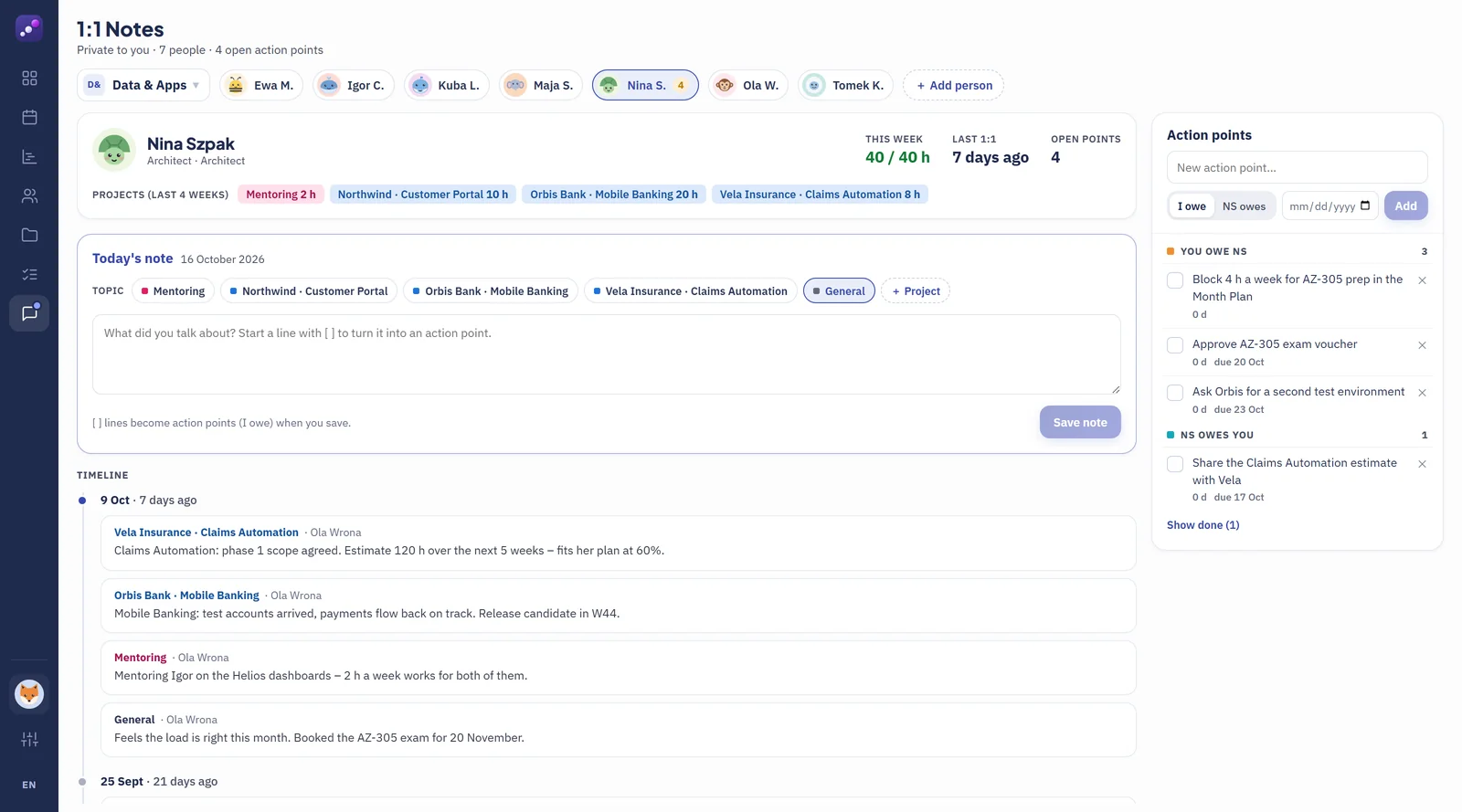
07 · 1:1 Notes
Private 1:1 notes. Promises become to‑dos.
Notes per person and per project, visible only to you. Start a line with [ ] and it becomes an action point: who owes what, by when. Nothing agreed in a 1:1 slips.
![1:1 Notes for Nina Szpak: today's note with a line starting with [ ] that will become an action point, and earlier notes per project.](/assets/shots/oto-900.webp)
Also in the box
- Absences from HR tools
- Microsoft sign-in (Entra SSO)
- Everyone sees their own team
- Private 1:1 notes & action points
- Plan vs actual
- English & Polish
Early access
Be first to plan with Caply.
Leave your email and we’ll tell you the moment Caply is available. Want to see it live first? Pick the demo option and we’ll set up a short walkthrough.
No spam. Ever. One email when Caply is out, or one to book your demo if you asked for it. Nothing else.